


Wednesday, December 8, 2010
HTC HD7 - Ready to Take On the iPhone? Really!
Posted by Doug Raeburn in "HTC Windows Phones" @ 10:00 AM
Music + Videos
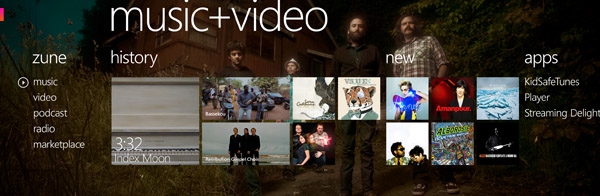
Figure 21: Inspired by the highly respected Zune interface, this smart and stylish hub is a big step forward.
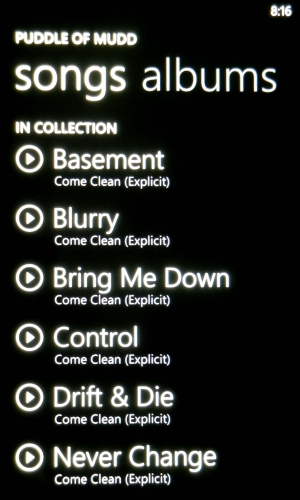
Figure 22: Songs listing.
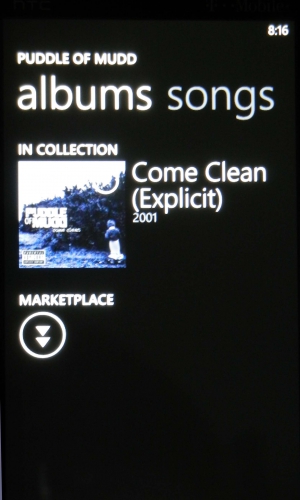
Figure 23: More album information.
Although I’m not familiar with Zune media players, I understand that the HD7’s music app has a similar design. Music can be viewed by artists, albums, songs and playlists, with the lists quickly changed by a left or right swipe of your finger. Podcasts are also available. The HD7 one-ups the iPhone with the inclusion of an FM radio. The music app here has an attractive design and its operation seems to me to be more intuitive than the iPhone’s iPod app.
As for output quality, as compared to the iPhone 4, quality through decent earphones is pretty much a wash. Through the units’ speakers, the iPhone’s quality is just a bit better. Neither is great, but the HD7’s audio is strident and tinny sounding, where the iPhone’s is kind of dull. But if your audio requirements are only even moderately demanding, it's not likely that you’d be willing to put up with the audio quality of the external speakers of either of these phones for any length of time.
Both the HD7 and the iPhone 4 are among the top phones currently available for video display, with both having sharp high-resolution displays. I tried both out with an MP4 of Avatar and both had eye-popping clarity, with a sharpness that made the images look almost 3D. Any differences are mostly nit-picking, but the iPhone had higher contrast and better color saturation, while the HD7 countered with a significantly larger screen, a big point in its favor. The bottom line is, if you like watching videos on your phone, you’ll be very pleased with the HD7.
Office
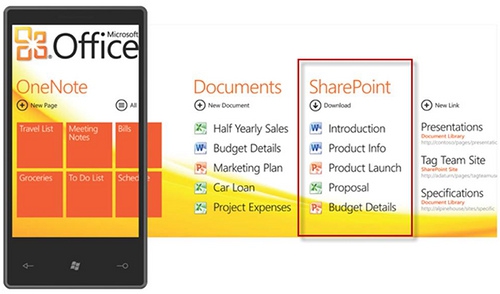
Figure 24: Good looking but somewhat disappointing due to missing features.
A long standing advantage of Windows Mobile phones has been bundled support for key Microsoft Office apps. WP7 continues that support. However, the apps, particularly Word, seem to be less powerful than previous iterations. For example, both the Word and the Excel app allow you to create documents, unlike some of the limited versions in certain late releases of WM. But when you get into Word, you’ll find few features and options. Missing features include bulleted lists, font selections and select, cut and paste (the latter being a missing OS feature). The lack of a select function can make editing very tedious, since if you wanted to change a sentence to bold, you’d have to choose every word individually and apply the format change. So if you’re creating a new document, make sure it’s a very simple one.
As a point of comparison, while the iPhone doesn’t include a bundled Office app, an app called Quickoffice is available for $4.99. The Word module does all of the things that I mentioned are lacking from the WP7 version. As did the Word module included with Windows Mobile 6.x.
With existing files, WP7’s Word module makes a much better showing. Although it can’t create bulleted lists or change fonts, it does support existing bulleted lists and fonts that come in with the document. I tried including a table, only to discover that you can’t add rows at the end of the table in the same fashion as the desktop version, because there’s no Tab key on the keyboard. I thought this was a comparative disadvantage for the HD7 until I realized that the iPhone has the same problem.
The Excel module is considerably more robust. Although it still lacks font support and cut and paste, it does support formula creation, sorting and filtering. Formula creation is cumbersome, so I don’t think most people would use this tool for creation of a complex spreadsheet. To be fair, the same can be said for Quicksheet, the Excel module of Quickoffice. Excel has some features that are lacking in Quicksheet, such as the aforementioned sorting, filtering and freezing panes. And Excel allows for multiple cell selection for the application of formats, clearing cells, etc. But Quicksheet supports cell alignment and borders, as well as column insertion and deletion. Overall, I’d say that the Excel module deserves to be called Excel much more than the Word module deserves to be called Word.
A few other features included in the Office hub are PowerPoint editing and access to SharePoint servers. If you don’t have access to a SharePoint server, the only current option to get Office docs to the HD7 is to email them to yourself. Quickoffice supports file exchange via WiFi.






