


Wednesday, August 5, 2009
No Longer in the Rough: A Review of the HTC Touch Diamond 2
Posted by Don Tolson in "Pocket PC Hardware" @ 07:00 AM
TouchFlo 3D - v2...
Although it's still called TouchFlo 3D by HTC, this is a much enhanced version from the ones we've seen on previous HTC models. This new version digs deeper into the WinMo GUI and makes the overall experience more fluid and finger friendly. For me, the interface is very intuitive and I was able to get productive in very short order. Everything works the way I expect it to, and I haven't found any hidden surprises. I even gave the phone to my wife to try for a while, just to see what would happen. She's not as much of a gadget geek as I am, but she's hating the Blackberry Pearl her work gave her. Without any prompting from me, she was happily reviewing calendar entries, calling friends and playing the games on the unit within a couple of minutes. To me, that says a lot about the interface design.
It's interesting that when you look at HTC's specification for the TD2, under 'Device Control', they only mention TF3D and the zoom bar. There's no mention of any of the other buttons on the unit.
The following screens provide a quick look at the tabs available from the Home screen.
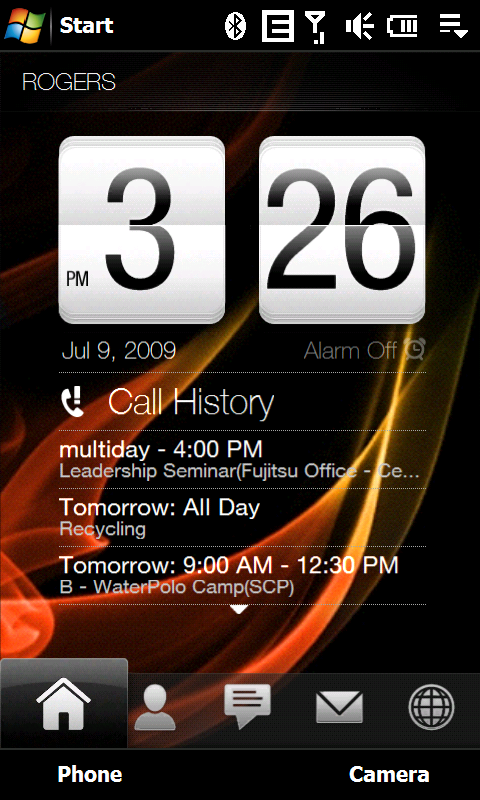
Figure 12: Although this is a bit bigger than we normally show on PPCT, I thought I would include a screenshot of the TF3D Home screen in all its 480x800 glory. Yes, it looks this good.
Tapping the Start button in top left brings up a configurable screen of favorite applications, rather than usual start menu. You can still get to Settings though, from the button provided.
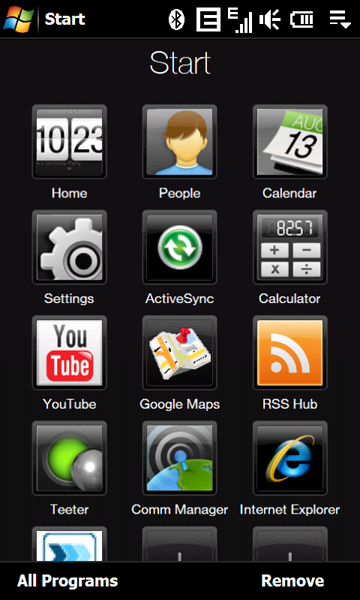
Figure 13: Here's a shot of HTC's Start screen, which comes up when you tap on the Start icon at the top of the Home screen. All the options except Home and Settings are configurable, so you an attach links to all your favorite applications.
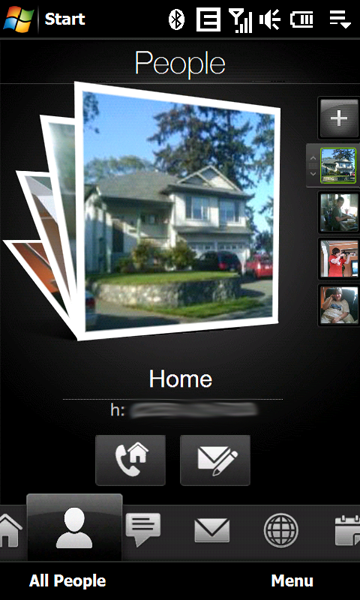
Figure 14: Here's the Contacts/People screen. You move through the pictures of your favorite people by flicking up or down on the screen, or you can select directly from the thumbnails on the right. As each is selected, the icons below the picture change to allow you to call them, send an SMS, or compose an email, depending upon the information available in the contact entry.
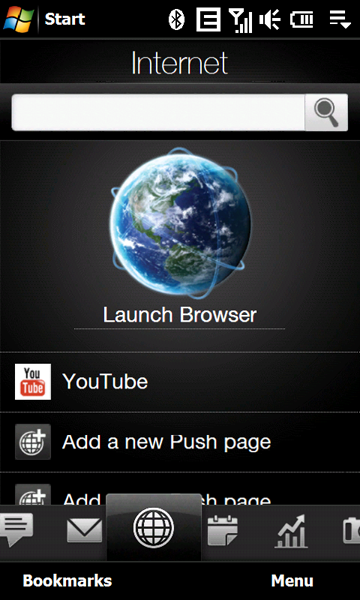
Figure 15: The Internet browser provided is Opera v9.x. HTC has also provided a YouTube viewer and you can add URLs for your own favorites to this page for direct access. (I'm not exactly sure what they mean by a 'Push page here...)
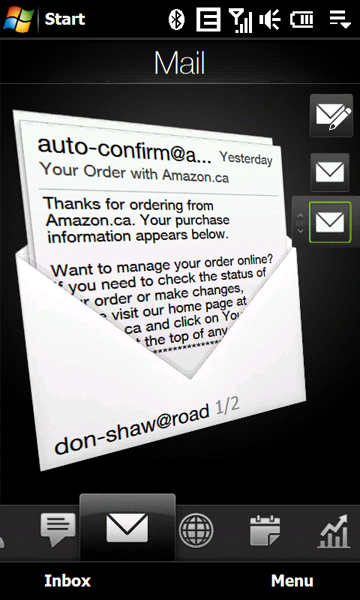
Figure 16: The mail screen provides access to all your email inboxes. Only one Exchange email inbox is allowed, but you can have as many additional POP3 and IMAP4 accounts as you'd like. The top icon on the right (envelope with a pencil) allows you to compose a new email for the currently selected account.






