


Wednesday, September 23, 2009
Dressed to the Nines - the ACER F900 Windows Mobile Phone
Posted by Doug Raeburn in "Pocket PC Hardware" @ 07:00 AM
Keyboard
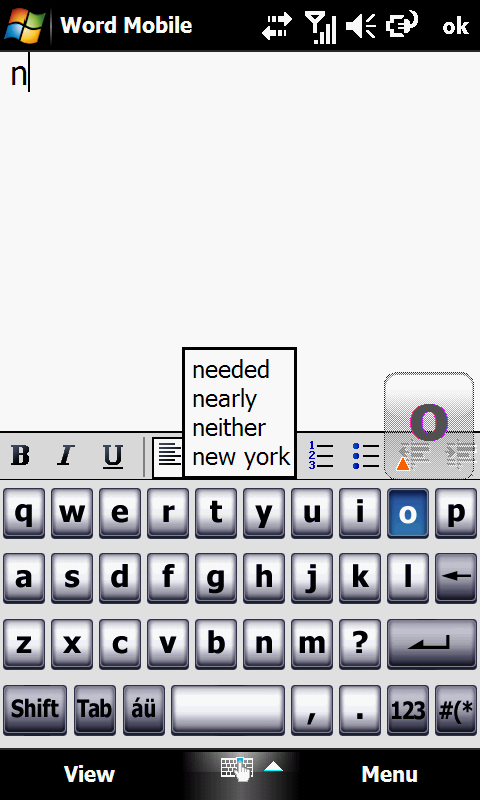
Figure 20: Not bad for a bundled keyboard...
Acer supplies an on-screen keyboard intended for thumb or fingertip use. Like other similar keyboards on the Touch Diamond and iPhone, an image is displayed above the key to show which key you pressed. This keyboard also works in landscape mode. In use, it worked well enough, though the low screen sensitivity sometimes resulted in missed keystrokes. In addition, I prefer the word prediction with the HTC keyboard. And I prefer TouchPal, with its useful array of keyboards, over either the Acer or the HTC keyboards. At around $12, it's money well spent.
Phone Facts
In its role as a phone, the F900 was able to shine. Signal strength matched my other phones everywhere I went. Folks on the other end of the line reported that sound quality was great whether on microphone or speaker. Sound through the F900's ear speaker was intelligible but a bit strident sounding. The strident sound went away when using the speakerphone. In fact, the F900's speakerphone sounded almost as good as the Touch Pro2 with its dual speaker setup.
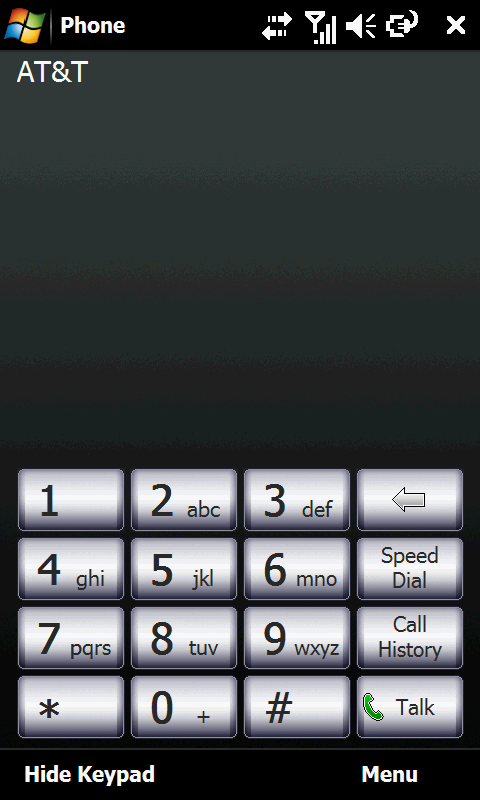
Figure 21: Dialing's a snap with the nice big keys, courtesy of the nice big screen.
The dialing screen is pretty much what you'd expect… a standard keypad with access to speed dial and call history. I guess they expect that you'll go through the contacts list if you want to call a contact… the HTC dialer allows you to go directly to the contacts list from their dialer, an additional convenience.
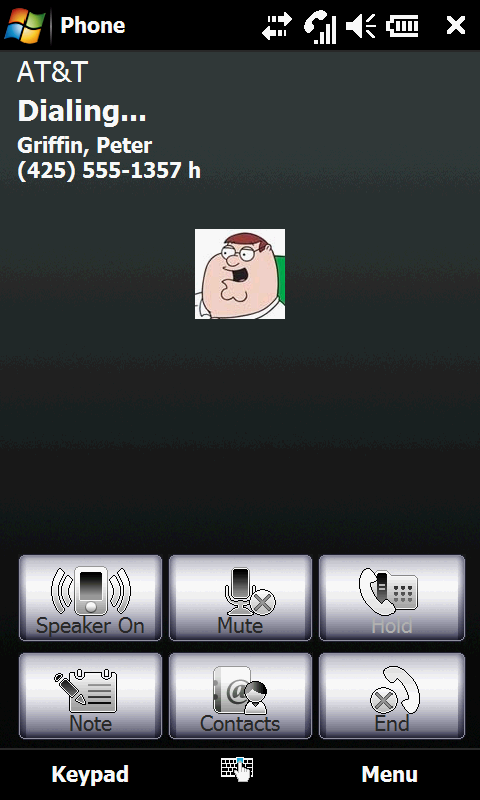
Figure 22: The "during a call" screen holds no surprises.
The "call in progress" screen is also pretty much standard issue, with control over the speakerphone, muting, call holding and creating notes. Contacts can be accessed from this screen which provides the means for setting up conference calls.
Overall, I found the phone's sound quality to be just short of excellent and the controls for phone calls to be satisfactory. That's a fine showing for the F900.
Internet
Coming off of its great showing in its phone performance and functionality, Internet browsing on the F900 is comparatively disappointing. Although advanced touch friendly browsers such as Opera Mobile and Skyfire are available for WinMo devices, Acer offers only the latest version of Internet Explorer Mobile on the F900. The current version of IE Mobile has very limited touch support and is far less capable at controlling zoom and text flow than the other 2 browsers mentioned. It's unfortunate, because with its large high resolution screen, the F900 could be one of the best phone-based Internet devices available. Fortunately, both Opera Mobile and Skyfire can be downloaded for free, so that's certainly one of the first things I'd do were I to buy an F900.






