


Wednesday, July 1, 2009
I Love It When We're Cruisin' Together - the HTC Touch Cruise Reviewed
Posted by Doug Raeburn in "Pocket PC Hardware" @ 07:00 AM
The Camera
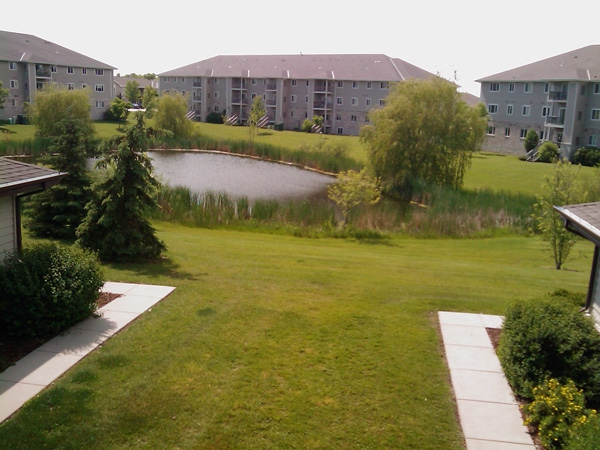
Figure 31: Bright sunlight gives you the best opportunity for a good picture with the Cruise.
Let me start out by coming clean… I'm a moderately accomplished amateur photographer accustomed to using digital SLRs and high end point-and-shoot cameras. So the typical camera in a phone has a hard time meeting my standards for picture quality. However, the Touch Cruise yielded reasonably good photo quality as long as there was plenty of light. The need for lots of light made indoor photography a challenge.
The picture shown in Figure 31 had pretty much ideal conditions for this type of camera. Mostly lots of light, since fixed focus cameras use a small aperture to maximize depth of field. Overall, the picture is well lit with good contrast and accurate colors.
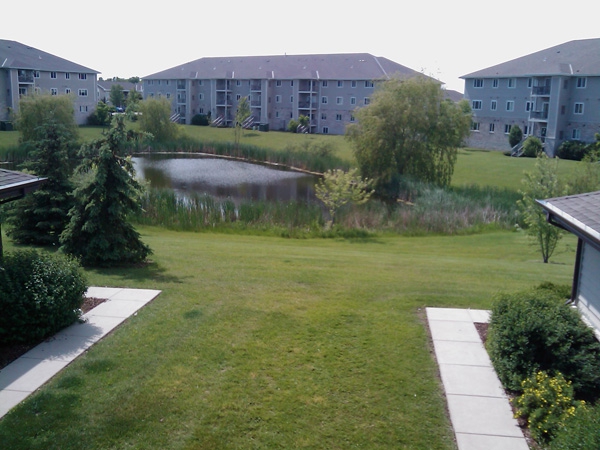
Figure 32: When left to do all of the work by itself, this less vibrant photo is the result.
However, I had to work a little to get the best picture. Figure 32 shows my first attempt, for which I left all of the settings on automatic. As you can see, the colors are dull and washed out and contrast is poor when compared to the photo in Figure 31. So I adjusted the white balance (which helps to compensate for color problems under different lighting conditions), changing it from automatic to sunlight. That small change improved the picture dramatically. But most people who would be using a simple snapshot shooter like this camera would be unlikely to know about white balance, and their results would be more like the second picture. The automatic white balance is much more effective on my more expensive cameras, so the casual photographer can rely on that feature to prevent problems such as I encountered with the Cruise.
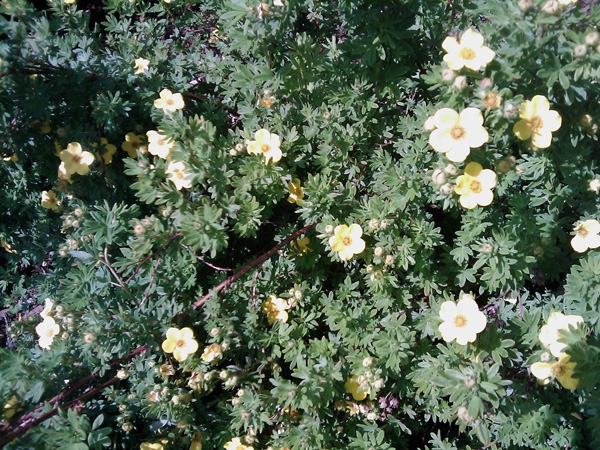
Figure 33: Once again, lots of sunlight yields a good shot.
For the second shot, I tried using the camera's macro mode, with satisfactory results. Again, I had the white balance set for sunlight. The picture is nicely focused, with pleasing colors.
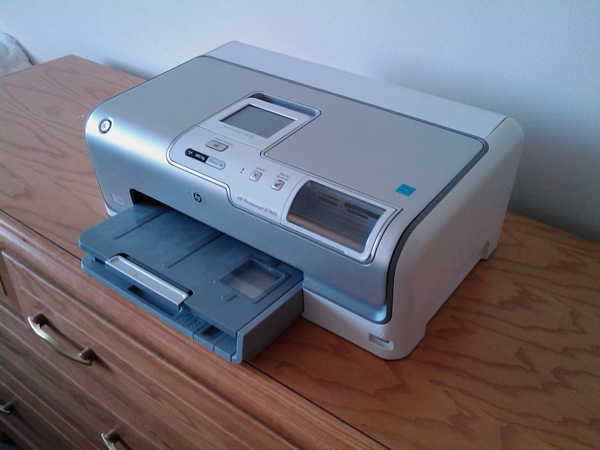
Figure 34: With no flash, indoor shots were a struggle.
Here's one indoor shot that turned out marginally well. Even with a pretty good amount of light coming in from the window, it did take 2 attempts to get a picture that wasn't blurry. I used auto white balance for this photo.
The Cruise also can take videos. I tried a panning shot of the pond in my apartment complex shown in the first 2 pictures and it came out looking more like picture 1 (the better of the two).
The bottom line is, both the still and video cameras in the Cruise are OK for use under good lighting conditions, and probably for less discriminating photographers, since the quality is merely good at best and as I demonstrated above, can require some knowledge of photography to achieve the best quality.
Which takes me back to the discussion of the Footprints feature. Since the camera is of such unremarkable quality, I wouldn't recommend it as the only camera you'd take on a sightseeing tour. It wouldn't do justice to many of the photo opportunities you might encounter. So, even if you were to create a travelogue with Footprints, you'd still want another dedicated camera for your "real" photos. Would you want to have to take 2 shots of every site, one with the phone and one with the other camera? Then if you took the time to capture GPS coordinates, add voice notes, etc., this information isn't really transferable. So when the time comes to replace the phone, you'd either have to keep the old one just for the travelogue, or jettison all of your hard work. So while Footprints seems to add some fun to your trips, the value and longevity of what you might create with it are questionable.
I've been pretty critical of the Cruise's camera, but keep in mind that it's on a par with most phone cameras. For very casual photography in well lit areas, it does the job.
Opera
Since it seems to be generally accepted that the gold standard of mobile browsers is Safari on the iPhone, it's understandable that HTC didn't want to feature the long outdated Internet Explorer Mobile as the browser on their iPhone competitors. Fortunately, Opera has been a leader in mobile browser development, and they created Opera Mobile 9.5 as a response to Safari that could be used on other phones. OM has many of the features that Safari popularized, among them the display of a zoomed out version of a web page that can be used to find what you're looking for. Then a double tap on the screen zooms in to a readable level and reformats the text for the screen. It doesn't do multi-touch (since that's basically not possible with the resistive touch screen technology on WM devices vs. the capacitive displays on iPhones) but it provides much of the Safari experience on the phones it supports.
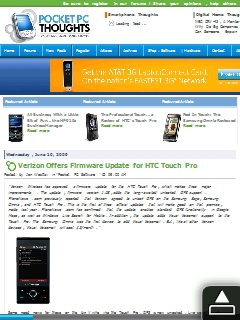
Figure 35: Start with a zoomed out view and find what interests you...
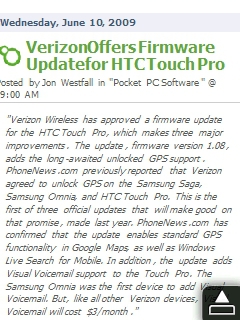
Figure 36: And a double tap of the finger zooms in and reformats it for the screen.
Figure 35 shows a "zoomed out" version of a page on one of our favorite sites in Opera. Figure 36 shows a portion of that page with the display zoomed in. This works pretty much the same on the Cruise and the Diamond. The one advantage that the Diamond has is its higher resolution VGA screen. With the zoomed out screen on the Diamond, the text is considerably more legible than on the Cruise, making it easier to find things of interest. Other than that, the experience is identical. And I consider it to be the best browsing experience that I've ever had with a mobile device.






