


Wednesday, January 14, 2009
The Professional Touch...a Review of HTC's Touch Pro (aka AT&T Fuze)
Posted by Don Tolson in "Pocket PC Hardware" @ 09:00 AM
Software included by HTC
HTC has also made sure that the Pro owner is not without the essential tools he/she will need to be fully functional (and have some fun...). Included in the ROM provided with the review unit were:
- JETCET PRINT 5 – for direct printing to a network printer
- World Card Mobile – We've already talked about this in the HTC Advantage review
- TV Out – this needs a special cable, which is attached at the USB port
- Sprite Backup v6.1
- Teeter game (shows off the accelerometers/gyros in the unit -- see picture below)
- Audio Booster (only works when headphones plugged in)
- Adobe Reader LE
- Communications Manager
- JAVA
- MP3 Trimmer (for creating your own ringtones)
- Opera Browser
- RSS Hub
- SIM Manager
- Streaming Media
- Voice Speed Dial
- Zip
That's quite an extensive package, and there's still lots of memory space left on the unit after all this is installed. Apparently, the package on the AT&T Fuze is very different.
Definitely my son's favourite was the Teeter Game.
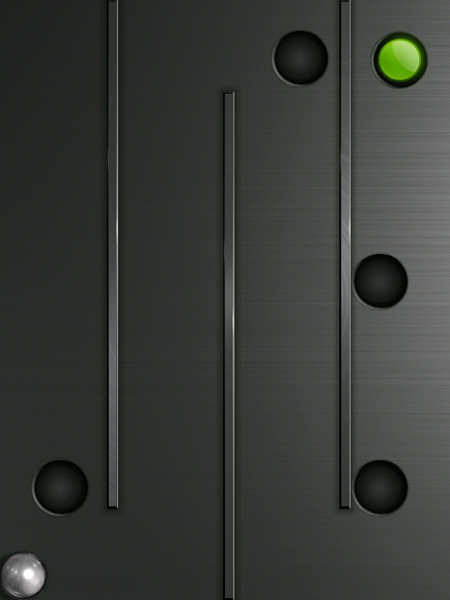
Figure 18: Here's the main screen of the Teeter game which is meant to show off the capabilities of the accelerometers/gyroscopes built into the Touch Pro. The objective is to tilt the Touch Pro to roll the silver ball past all the barriers into the hole with the green dot. There are 32 levels (according to my youngest son, who finished it in about an hour) and there are some especially nasty/tricky boards where you need to build up enough speed to jump over a couple of holes. The really neat feature about this game is that HTC has also incorporated the use of the phone's vibrator to provide a buzz when the ball hits a wall.
Battery
The battery provided by HTC is a OK-sized 1340mAh lithium ion unit. It's not too bad in general, but when driving a VGA screen, it's not going to win any stamina contests. Right now, I'm what most would consider a 'light' user, with a few calls during the day, occasional playing of MP3s over my headset, occasional GPS use (to route me to a client site) and WiFi limited to at home in the evenings. After a full charge overnight, I'm down to about 40 or 50% at the end of the day. However, this may be worse if you're running 3G or H connections during the day, since these tend to take more power.
On average, it took about 2 hours to recharge the battery from dead. The white LEDs around the d-pad slowly fade in and out to show that the unit is charging, then change to steady 'on' when completely recharged. In some comments to various reviews there were concerns about the battery getting hot during normal daily usage, but in my experience, the unit got only warm when left on phone/bt during the day.
Camera
The cameras provided in phones are always a bit iffy, but the 3.2 Megapixel 'main' camera (located on the back panel) takes reasonably good pictures, as shown in the examples below.
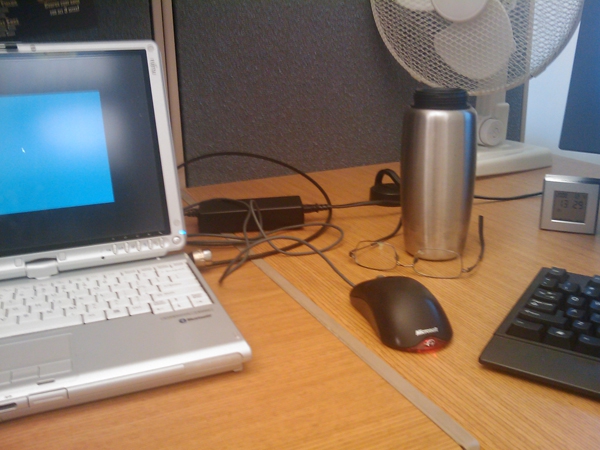
Figure 19: An indoor picture, taken with the Touch Pro's main camera under normal office light. at 3.2 mp resolution. Not too bad, but there is a bit of a yellow cast to the image, given the reflected 'warm' fluorescent lighting.
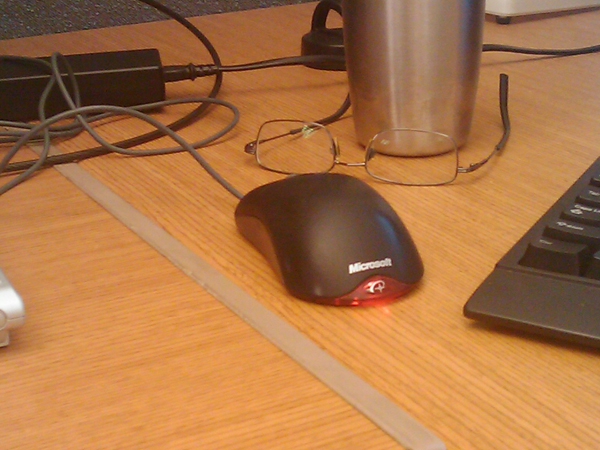
Figure 20: Here's the same image, taken with the camera at maximum (2x) zoom. Details are OK, again given the lighting.






