


Friday, September 22, 2006
Mobius 2006 Thailand: Day One
Posted by Jason Dunn in "EVENT" @ 04:00 AM
Derek then brought out a Windows Mobile Palm and walked through some of the features that Palm has added. The unified Inbox brings together SMS and email messages, and the SMS threading feature looks very useful for heavy SMS users. It basically turns SMS into an IM chat where you can see the history of the SMS with that person. You can also easily re-send SMS texts with a couple of clicks, which is useful if the person didn't get the original message. Improvements in the SMS client are a nice way of making text messaging easier to use. We had a short discussion around operators that are removing MSN Messenger clients, and whether or not that was a significant issue. Most people in the room felt it wasn't, because anyone that realizes MSN Messenger is missing are savvy enough to install their own client. The issue I raised was the next logical step from the carriers: port and service blocking,
Communicator Mobile is Microsoft's corporate IM client, and it looks extremely powerful. If someone isn't in your IM list, you can use a lookup tool that searches the Exchange global address list, and start a chat with anyone listed. You can use the client to set Out of Office messages, forward your work number to another phone, one-touch VOIP calling (which rings the local office phone).
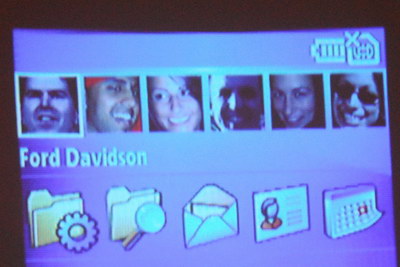
There are new Windows Mobile 5.0 Powertoys coming out: the first is a Today-screen plugin called Photo Browser that allows you to pan through all the photos in your My Pictures folder directly from the today screen. The controls are simple – d-pad left and right to move from photo to photo, and d-pad action on the photo will open it in the default application. Nice and simple, useful if you use your device to show off photos of your kids, pets, or frog collection (that's for you Howard!). The next is called Speed Dial Today, which patterns itself after what Palm did with their Windows Mobile Treo.
Speed Dial Today will be coming out "very soon" for the Smartphone only (sorry Pocket PC users, Derek said they didn't want to step on Palm's toes), and the Photo Browser will be for both Pocket PC and Smartphone. There's no confirmed release date for Photo Browser, Derek said they're still in discussions with the developer. There's been a sad lack of Powertoys in the Windows Mobile world for several years now, so I hope these are the first of many new Powertoys coming from the Windows Mobile team.






